
Word Search Explorer
PlaySimple Games
A free, offline word-search game with hints and cross-device sync
| Category | Word |
| Installs | 50,000,000+ |
| Version | 1.276.0 |
| Updated | Apr 21, 2026 |

About this game
Game Overview
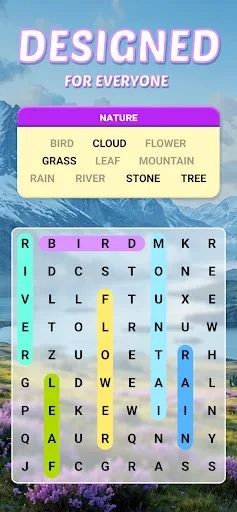
Word Search Explorer is a mobile word-search puzzle game from PlaySimple Games, a studio best known for approachable, mass-market puzzle apps. The loop is simple: scan a themed letter grid, swipe to form hidden words, and clear puzzles to move onward. That structure makes it easy to pick up for short sessions, but the difficulty is designed to rise gradually, so later boards should ask for more attention than the early ones. The presentation leans on a clean, visually polished style rather than flashy effects, which fits the senior-friendly positioning in the store text. It is also free to play on Android and iOS, with a very large install base and a rating profile that suggests broad appeal among word-game players who want something familiar, low-pressure, and easy to revisit.
Core Gameplay Features
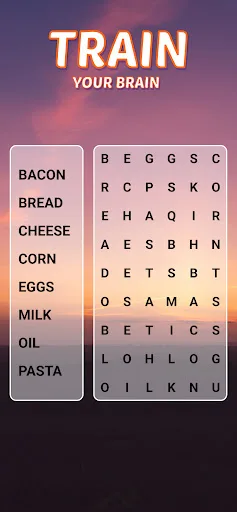
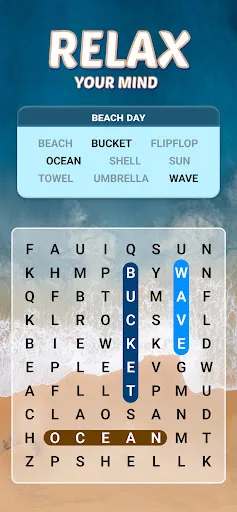
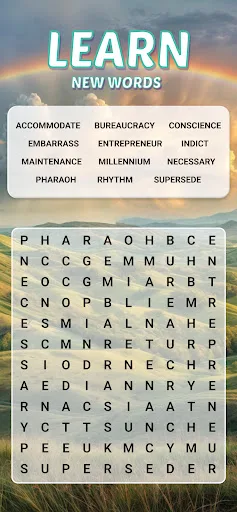
- Themed Word Grids Each puzzle asks players to find hidden words connected to a common theme inside a letter grid. That keeps the action focused on pattern recognition rather than fast reflexes.
- Swipe Controls Words are formed by swiping across letters, which keeps input simple on a phone or tablet. The control scheme suits short sessions and makes mistakes easy to correct.
- Guiding Hints The game includes multiple hints to help when a grid slows down. This softens the difficulty curve and makes the experience more forgiving for less experienced puzzle players.
- Offline Play The description says it can be played offline, so it does not depend on a constant connection. That makes it practical for travel, commutes, or spotty mobile service.
- Progress Sync Login through Facebook is supported for syncing progress across multiple devices. That matters for players who move between Android and iPhone or reinstall the app later.
What Makes It Stand Out
Among mobile word games, this one stands out less for novelty than for presentation and reach. The combination of a huge install base, very strong user rating, and cross-platform availability suggests a polished, widely accessible package.
- Large Audience More than 50 million installs on Google Play and over 1.1 million ratings point to a game with proven reach. That volume gives a clearer sense of audience appetite than a small niche release.
- Strong User Score A 4.9 rating is unusually high for a free mobile puzzle game with this many reviews. It suggests the core loop is landing well with players who want a straightforward word challenge.
- Cross-Platform Access The game is available on both Android and iOS, with current versions on each store. That makes it easy to keep progress and expectations aligned across common mobile devices.
Things to Know Before Playing
The practical tradeoffs are fairly mild, but they still matter. This is a free mobile game, so the usual monetization and account-friction questions are worth checking before installation, especially for players who want a simple offline puzzle app.
- Free-To-Play Monetization The game is free, which usually means optional in-app purchases or ads somewhere in the experience. The store metadata does not spell out the exact model, so the listing is the safest reference.
- Facebook Sync Progress syncing depends on Facebook login, so players who avoid social sign-ins may prefer to treat each device separately. That is a useful detail for privacy-conscious users.
- Broad Age Rating The app is rated Everyone on Google Play and 4+ on the App Store. It is positioned as family-friendly and suitable for younger players as well as adults.